Latency Budgets for AI Pipelines: Engineering Real-Time Responses From Multi-Step Systems
Your multi-step AI pipeline takes 8 seconds to respond. Users leave after 3. Latency budgets force you to allocate milliseconds like dollars -- and most teams have never done the math on where their time actually goes.
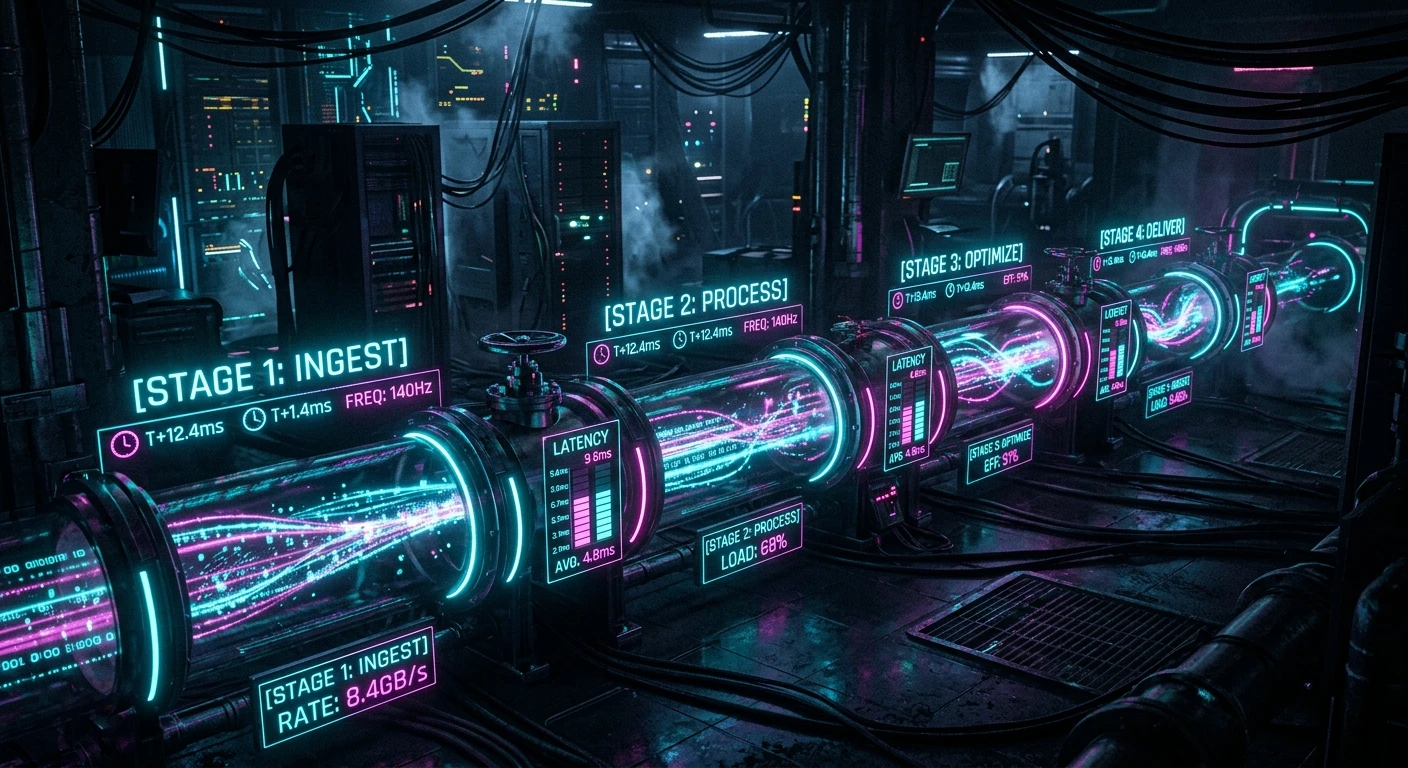
The Latency Problem Nobody Measures
Your RAG pipeline retrieves context in 200ms, runs inference in 1.2 seconds, and formats the response in 50ms. Sounds fast. Until you realize there are six other steps nobody timed — embedding generation, reranking, guardrail checks, tool calls, memory writes, response validation — and your user has been staring at a spinner for 8.3 seconds.
Most teams building multi-step AI systems have no idea where their latency actually goes. They optimize the LLM call because it is the most visible bottleneck, ignore everything else, and wonder why users complain about speed despite upgrading to a faster model.
This is the latency budget problem. And if you are not explicitly allocating milliseconds across every step of your pipeline, you are flying blind.
Why P99 Matters More Than P50
The median response time is a vanity metric. Your P50 might be 2.1 seconds — perfectly acceptable. But your P99 is 11.4 seconds, meaning one in a hundred requests takes longer than most users will wait.
Here is why this matters for AI pipelines specifically:
- Retrieval variance is enormous. Vector search against a well-indexed collection returns in 15ms. The same query hitting a cold cache with a complex filter? 800ms. Your retrieval step alone can swing by 50x at the tail.
- LLM inference is non-deterministic in timing. The same prompt produces different token counts across runs. A response that averages 180 tokens might occasionally generate 600. That is a 3x latency swing on inference alone.
- Tool calls are external dependencies. When your agent calls a database, API, or search engine, you inherit their tail latency. A tool that averages 100ms but occasionally takes 3 seconds will blow your budget unpredictably.
The compounding effect is what kills you. If you have five steps each with a 95th percentile that is 3x their median, your pipeline P99 can easily be 8-10x your P50. This is not theoretical — we have seen this pattern repeatedly in compound AI system orchestration across production deployments.
The Latency Budget Framework
A latency budget works exactly like a financial budget. You have a total allocation (your target end-to-end latency), and you distribute it across line items (pipeline steps). Every millisecond spent somewhere is a millisecond unavailable elsewhere.
Step 1: Define Your Ceiling
Start with the user experience requirement, not the technical reality.
- Conversational AI / chat: 2-3 seconds to first meaningful token (streaming), 5-8 seconds total
- Search / retrieval augmented: 1-2 seconds total (users expect search-like speed)
- Agentic workflows: 10-15 seconds acceptable IF you show progress indicators
- Real-time voice / transcription: Sub-500ms for turn-taking — the constraints here are brutal, as anyone building real-time transcription systems knows firsthand
Step 2: Map Every Step
Do not skip this. Instrument every step of your pipeline with percentile timing. Here is a typical RAG pipeline breakdown:
Step                    P50      P95      P99
─────────────────────────────────────────────
Input validation         5ms      8ms     15ms
Embedding generation    25ms     40ms     80ms
Vector search           18ms     45ms    200ms
Reranking               30ms     60ms    120ms
Context assembly         3ms      5ms     10ms
Guardrail (input)       15ms     25ms     50ms
LLM inference          800ms   1400ms   2800ms
Guardrail (output)      15ms     25ms     50ms
Response formatting      5ms      8ms     12ms
─────────────────────────────────────────────
Total                  916ms   1616ms   3337ms
Notice how LLM inference dominates at P50 (87% of total) but only accounts for 84% at P99. The "cheap" steps — vector search, reranking, guardrails — collectively add 500ms at the tail. That is where most teams leak budget without realizing it.
Step 3: Allocate and Enforce
Set per-step budgets with hard timeouts:
Step                  Budget    Action on Breach
────────────────────────────────────────────────
Embedding generation    50ms    Use cached embedding
Vector search          100ms    Reduce k, skip filters
Reranking               80ms    Skip reranker, use raw scores
LLM inference         2000ms    Switch to smaller model
Tool calls (each)      500ms    Return partial / timeout
Guardrails (total)      80ms    Log and pass (non-blocking)
────────────────────────────────────────────────
The "action on breach" column is critical. Every step needs a degradation strategy. If reranking takes too long, you skip it and use raw vector similarity scores. If a tool call times out, you return what you have. This is cost engineering applied to time instead of money — the same discipline, different currency.
Speculative Execution: Borrowing From CPU Architecture
Modern CPUs do not wait for each instruction to complete before starting the next one. They speculatively execute likely paths and discard wrong predictions. You should do the same in your AI pipelines.
Pattern: Speculative Retrieval
While the LLM generates a response, speculatively pre-fetch context for likely follow-up queries. If the user asks about pricing, pre-retrieve comparison data, competitor pricing, and FAQ content. When the follow-up arrives, retrieval is already done.
Pattern: Parallel Hypothesis Generation
For agent architectures with tool selection, run the top-2 most likely tool calls in parallel instead of waiting for the LLM to commit to one. Discard the unused result. You burn extra compute but save 500ms-2s of sequential latency.
Pattern: Optimistic Streaming
Start streaming a response template while retrieval is still running. The first tokens ("Based on the documentation for...") can be generated from the query alone. By the time you need retrieved context for substantive content, the retrieval step has completed.
Speculative execution trades compute cost for latency reduction. In most production systems, that trade is overwhelmingly worth it — compute is cheap, user patience is not.
Streaming as a UX Escape Hatch
Streaming is not a latency optimization. Your pipeline still takes the same amount of time. But it fundamentally changes the user experience by converting a binary wait (nothing → everything) into progressive disclosure (tokens appear continuously).
The psychology is well-documented: users perceive a 4-second streamed response as faster than a 3-second batched response. The first token latency (TTFT) matters more than total latency for perceived performance.
But streaming has hidden costs that most implementations ignore:
- You cannot run output guardrails on partial content. Either you buffer (defeating the purpose) or you run guardrails post-hoc and risk showing content you later need to retract.
- Error handling becomes complex. If step 4 of your pipeline fails mid-stream, the user has already seen partial output. You need graceful degradation, not a stack trace.
- Token-level streaming from the LLM does not mean end-to-end streaming. If your pipeline has a 2-second retrieval step before inference starts, streaming the inference tokens still means a 2-second initial wait.
The real optimization is reducing time-to-first-token across the entire pipeline, not just enabling streaming on the LLM layer.
Parallelizing Independent Steps
The most underused optimization in multi-step AI pipelines is embarrassingly simple: run independent steps concurrently.
Consider a typical agentic RAG flow:
Sequential (common):  Query → Embed → Search → Rerank → LLM → Format
                      Total: sum of all steps

Parallel (better):    Query → [Embed + Guardrail] → [Search + Cache check] → Rerank → LLM → Format
                      Total: max of parallel groups + sum of sequential
Steps that can almost always run in parallel:
- Input guardrails + embedding generation — they both operate on the raw input and have no dependency on each other
- Multiple retrieval sources — if you search a vector DB AND a keyword index AND a knowledge graph, run all three concurrently
- Tool calls with independent inputs — if an agent needs weather data AND stock prices, do not serialize them
- Output guardrails + logging/analytics — guardrails gate the response, but logging can happen asynchronously
In practice, naive parallelization of retrieval and guardrails alone typically saves 30-80ms at P50 and 200-400ms at P99. For a pipeline with a 3-second budget, that is meaningful.
Practical Latency Budget Templates
Template 1: Production RAG (3-second budget)
Phase 1 (parallel):   Embed query (40ms) + Input guardrail (20ms)     =  40ms
Phase 2 (parallel):   Vector search (80ms) + Keyword search (60ms)    =  80ms
Phase 3 (sequential): Rerank + fuse results                           =  60ms
Phase 4 (sequential): LLM inference (streaming, TTFT target: 400ms)   = 1800ms
Phase 5 (parallel):   Output guardrail (25ms) + Log (async)           =  25ms
─────────────────────────────────────────────────────────────────────────────
Total budget:         2005ms baseline, 995ms buffer for tail latency
Template 2: Agent with Tool Calls (8-second budget)
Phase 1: Intent classification + routing                              = 200ms
Phase 2: Tool selection (LLM call)                                    = 800ms
Phase 3: Tool execution (parallel, max 2 concurrent)                  = 1500ms
Phase 4: Result synthesis (LLM call with tool outputs)                = 2000ms
Phase 5: Guardrails + formatting                                     = 100ms
─────────────────────────────────────────────────────────────────────────────
Total budget:         4600ms baseline, 3400ms buffer for retries/fallbacks
Template 3: Multi-Agent Pipeline (12-second budget)
Phase 1: Router agent (intent + delegation)                           = 500ms
Phase 2: Specialist agent 1 (research/retrieval)                      = 3000ms
Phase 3: Specialist agent 2 (analysis, parallel if independent)       = 3000ms
Phase 4: Synthesis agent (combine + format)                           = 2000ms
Phase 5: Quality check + guardrails                                   = 200ms
─────────────────────────────────────────────────────────────────────────────
Total budget:         8700ms baseline, 3300ms buffer
The buffer is not optional. It is your insurance against tail latency, cold starts, and the inevitable API hiccup. If your baseline consumes more than 70% of your total budget, you are already in trouble.
The Measurement Gap
Here is what frustrates me: most teams building AI applications have better observability on their PostgreSQL queries than on their LLM pipelines. They can tell you the P99 of a database read but cannot tell you how long their reranking step takes at the 95th percentile.
This is the AI engineering maturity gap — teams that treat AI components as black boxes instead of instrumentable infrastructure. Every step in your pipeline should emit:
- Start time, end time, duration
- Input/output size (token counts, document counts)
- Whether a fallback was triggered
- Which model/index/endpoint was used
Without this telemetry, latency budgets are just aspirational documents. With it, they become enforceable contracts.
The Bottom Line
Latency budgets are not a performance optimization technique. They are an architectural discipline that forces you to make explicit tradeoffs instead of hoping your pipeline is fast enough.
The framework is simple:
- Set a ceiling based on user experience, not technical convenience
- Measure everything with percentile distributions, not averages
- Allocate explicitly with per-step budgets and breach actions
- Parallelize aggressively — most pipelines have 30-40% of steps that can run concurrently
- Stream strategically — reduce TTFT across the full pipeline, not just the LLM layer
- Budget for failure — keep 30% of your total budget as buffer for tail latency
The teams that ship fast AI products are not the ones with the fastest models. They are the ones who know exactly where every millisecond goes — and have a plan for when things get slow.
Start by instrumenting your pipeline. You will be surprised where the time actually goes.
Founder & Principal Architect
Ready to explore AI for your organization?
Schedule a free consultation to discuss your AI goals and challenges.
Book Free Consultation